Adamant SpatialBook a scan

Drone LiDAR & 3D site scanning · British Columbia

Know your land before you build on it.

Adamant Spatial scans your property by drone and turns it into a 3D model, elevation map and slope analysis you can explore from your desk and share with your architect, engineer and builder.

  • 3D point cloud
  • Aerial map
  • Elevation & contours
  • Slope & cut/fill analysis

Who it's for

Better decisions about land start with better data.

Satellite images and old survey plans don't show the slope behind the house site, the gully the driveway has to cross, or how much rock is under the trees. A drone scan does.

For landowners

Buying, selling or planning on your property

  • See the true shape of your lot: slopes, drainage paths, rock and tree cover
  • Find the most buildable ground before you pay for design
  • Give your architect and builder accurate site data from day one
  • Show buyers, family or partners the property in 3D from anywhere

For developers and builders

Feasibility, earthworks and construction

  • Capture existing conditions quickly for feasibility and design
  • Elevation models and contours ready for civil and CAD workflows
  • Estimate cut and fill volumes before you price earthworks
  • Repeat scans to document progress for owners, lenders and trades

Live 3D scan

Walk the site without leaving your desk.

This is a real drone photogrammetry scan of a property in Roberts Creek on BC's Sunshine Coast: millions of points, each with an exact position in 3D and coloured from the aerial photos. Click in to orbit, zoom and change how it's coloured. Your property is delivered the same way, as a private link you can share.

What a scan tells you

From one flight to every answer your project needs.

Mapping

Aerial maps sharper than any satellite

Hundreds of overlapping drone images are stitched into a single, measurable aerial map and a textured 3D model of the site, current to the day it was flown. Ground control targets tie everything to real-world coordinates, so distances and areas measured on screen hold up on site.

  • Orthomosaic map (GeoTIFF)
  • Textured 3D mesh of terrain and structures
  • Existing buildings, roads and features documented
Textured 3D drone model of a rural property with buildings, trees and blue ground control targets
Textured 3D model from drone photogrammetry, with ground control targets in blue.

Slope & terrain analysis

See where you can build, and where you shouldn't

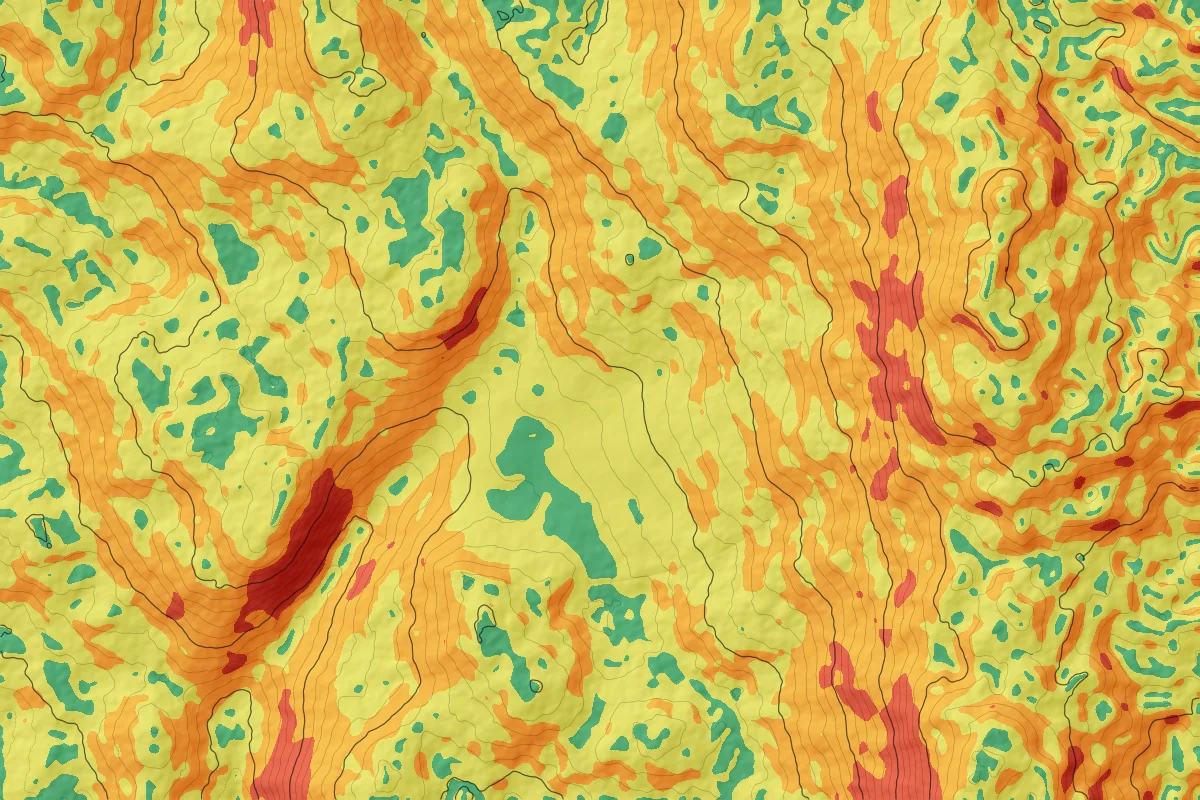
A slope map shows at a glance where the ground is gentle enough to build on, where you'll need grading or retaining walls, and where water will run. Elevation models and contours export straight into your designer's CAD software.

  • Under 5%Gentle, easiest to build on
  • 5–15%Moderate, some grading
  • 15–30%Steep, retaining likely
  • Over 30%Very steep, avoid or engineer
Slope classification map with contour lines: a gentle green bench in the middle of the site surrounded by steeper orange and red slopes
Slope classes with 1 m contours. Illustrative example.

Site planning

Place your building on the real site

Drop your plans onto the scan to test where the house, shop or subdivision should sit. Check setbacks, views, sun and driveway access against the actual terrain before anything is staked, and settle placement questions early with your designer.

  • Footprints, setbacks and access tested in context
  • Fewer surprises at excavation
  • A shared model for owners, designers and trades
Drone aerial map of an undeveloped lot with a proposed building footprint, setback line and driveway drawn over it
Proposed footprint, setback and driveway drawn on the aerial map. Illustrative layout.

Earthworks & progress

Measure what moved, and what's left to do

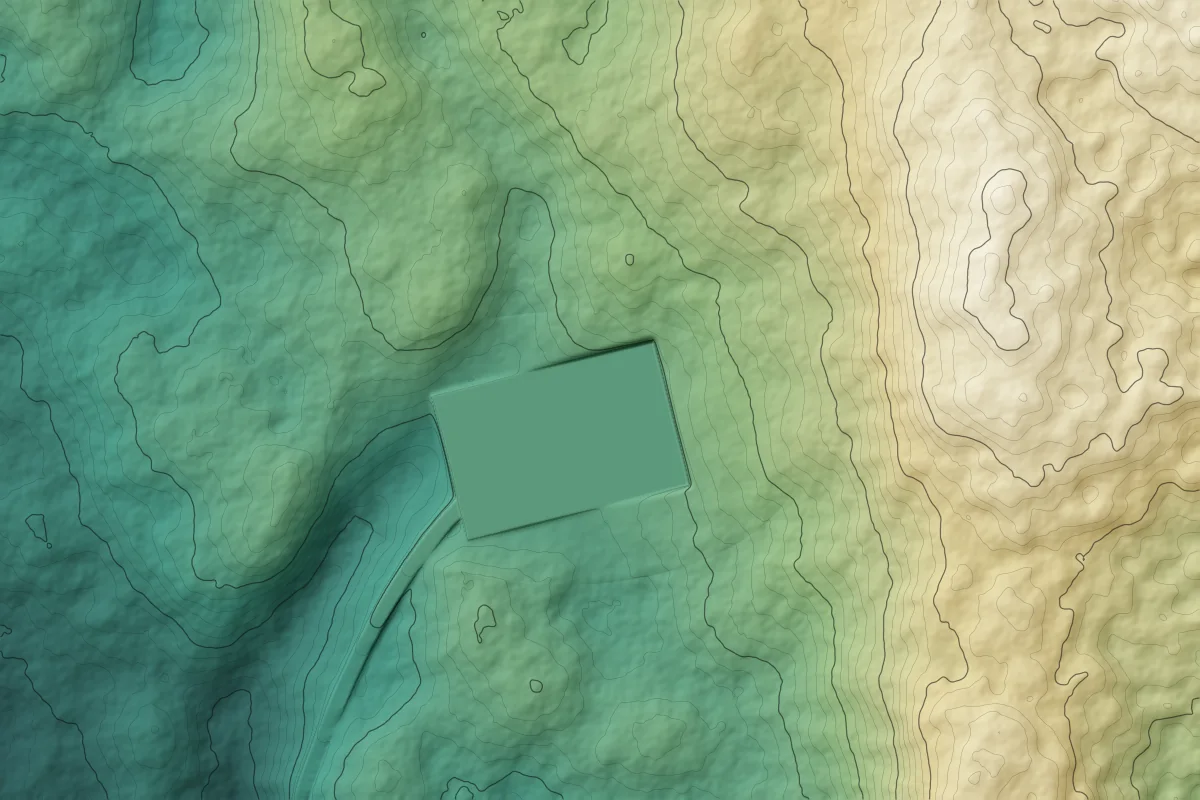
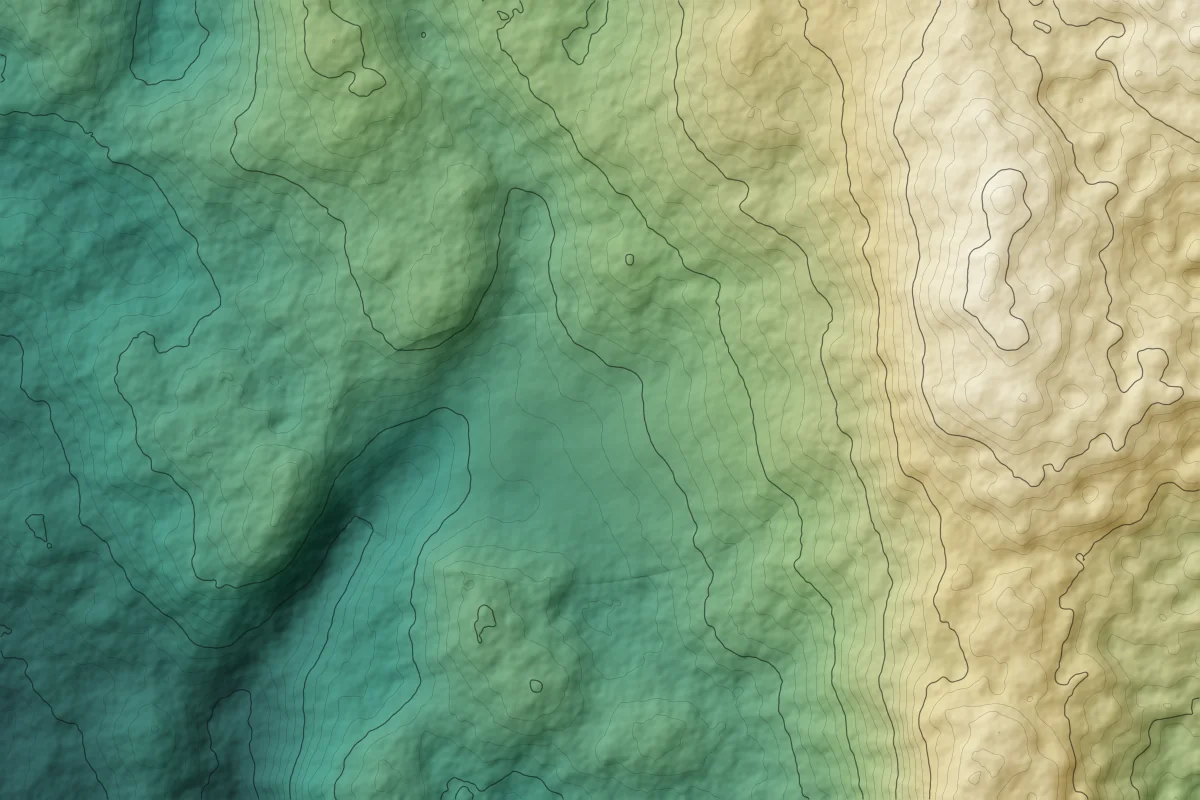
Scan before work starts to estimate cut and fill, then scan again as the job progresses. Comparing scans shows exactly how much material was moved, whether grades match the plan, and gives owners, lenders and trades a dated record of the site.

  • Cut and fill volumes before you price earthworks
  • Grade checks against design
  • Dated progress records for draws and reporting
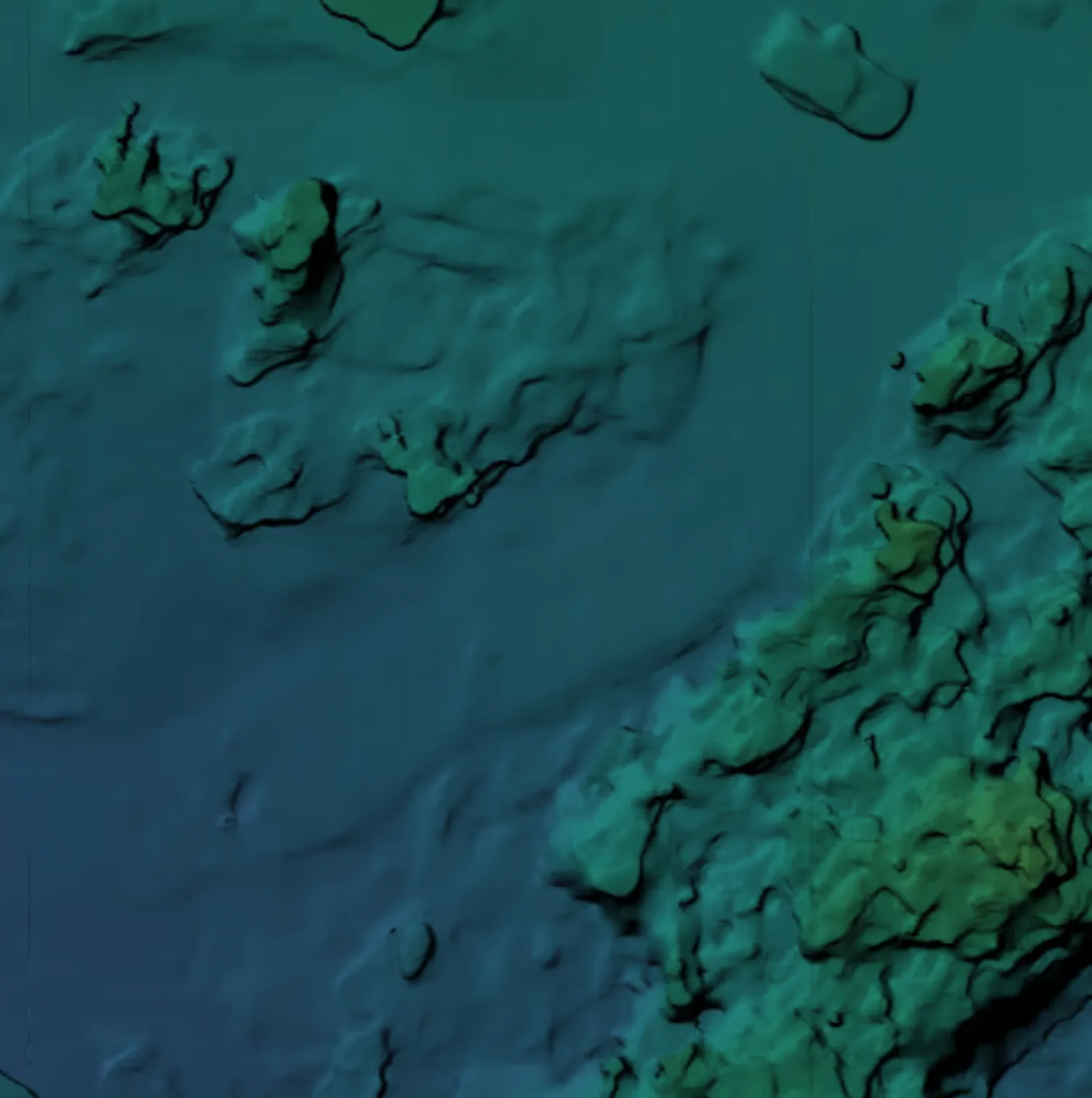
Elevation model after grading, showing a level building pad and driveway
Elevation model of the natural ground before grading
Week 1 · existing groundWeek 6 · pad and driveway graded
Drag to compare scans, or switch to the cut and fill view. Illustrative example.

VR & presentations

Walk through it together

Review the site and proposed buildings in virtual reality or on any screen. Everyone sees the same model, so conversations with partners, buyers, councils and neighbours start from the same picture.

Person reviewing a 3D building model in a virtual reality headset

Deliverables

What you receive from a site scan

Standard formats your architect, engineer, surveyor and builder can open, plus a viewer anyone can use.

How it works

A site scan in four steps

  1. 01

    Tell us about the site

    Share the location, rough size and what you need to decide. We confirm scope, deliverables and a quote.

  2. 02

    We fly it

    We plan the flights, check airspace and weather, then capture the site with drone LiDAR and photogrammetry, using ground control where accuracy matters.

  3. 03

    We process it

    Raw captures become a point cloud, aerial map, elevation model and the analysis your project needs.

  4. 04

    You explore and share

    You get a private viewer link and the files, plus a walkthrough call to go over what the data shows.

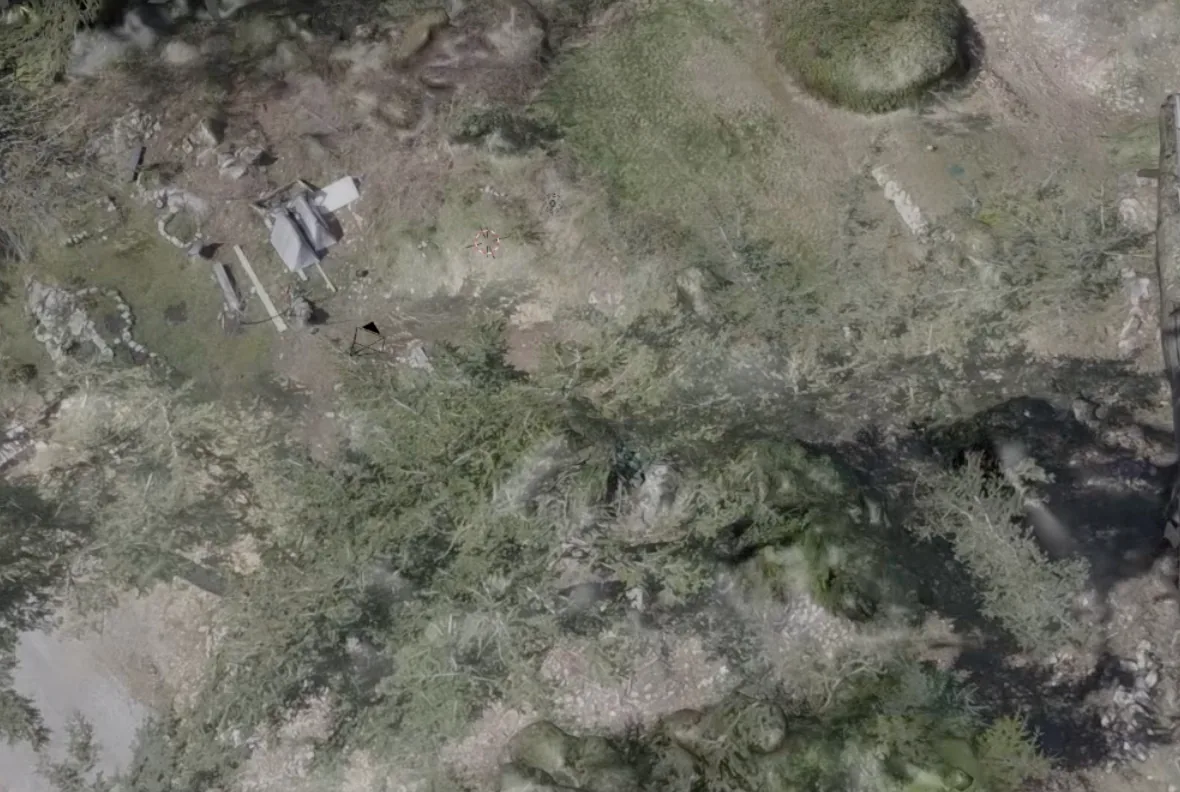
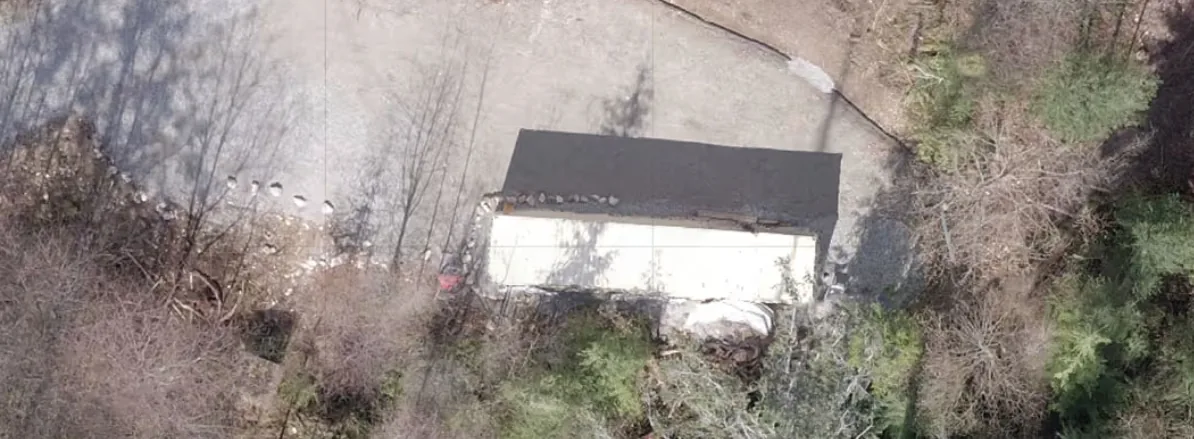
Drone view of an existing building and cleared yard on a forested lot
Existing structures and site features are captured on the same flight.

FAQ

Drone site scanning questions, answered

What is a LiDAR site scan?

A LiDAR site scan uses a drone-mounted laser scanner to measure millions of points across a property. The result is a precise 3D point cloud of the ground, trees and structures that can be turned into elevation models, contours, slope maps and volume calculations.

What is the difference between drone LiDAR and photogrammetry?

Photogrammetry builds a 3D model from hundreds of overlapping aerial photos, which gives realistic colour and texture and works best on open ground. LiDAR measures distance with laser pulses, so it can reach the ground through gaps in tree cover and produce a reliable bare-earth model. Many projects use both.

Is a drone scan a legal land survey?

No. A drone scan is not a legal survey and does not establish property boundaries. In British Columbia, legal boundary surveys must be done by a BC Land Surveyor (BCLS). Our data complements their work and can be tied to their survey control.

How accurate is a drone site scan?

Accuracy depends on the equipment, the use of ground control points, vegetation and site conditions. Before we fly, we tell you the accuracy to expect for your site and match it to what you need the data for, whether that is early planning or design-ready topography.

Can you scan forested or overgrown land?

Yes. LiDAR pulses pass through gaps in the canopy, so we can model the ground beneath trees and brush. Very dense canopy reduces the number of ground points, and we will flag any areas where coverage is limited.

How long does a site scan take?

Most residential and acreage sites can be flown in a single visit. Processing time depends on the size of the site and the deliverables you need, and we confirm the full timeline with your quote.

What will I receive?

You receive a private 3D viewer link plus the files your project needs: point cloud (LAS/LAZ), orthomosaic map (GeoTIFF), elevation model and contours (DXF/DWG), slope analysis and, if needed, a 3D mesh (OBJ/FBX).

Can my architect, engineer or builder use the data?

Yes. We deliver in standard formats that load into common CAD, civil, GIS and 3D design software, and we can tailor exports to the software your team already uses.

Can you scan the same site again to track progress?

Yes. Repeat scans on a schedule let you compare the site against the plan, calculate the volume of material moved and keep a dated visual record for owners, lenders and trades.

How much does a site scan cost?

Pricing depends on the size and terrain of the site, travel and the deliverables you need. Send us the location and what you want to decide, and we will reply with scope and a quote.

Where do you work?

Adamant Spatial works across British Columbia, including the Sunshine Coast and Lower Mainland. Get in touch about sites elsewhere.

Book a site scan

Tell us about your land.

Share the location and what you need to decide. We'll reply with scope, timing and a quote for your site.

Prefer email? info@adamantlabs.com

What's the project?
When do you need the scan?

We reply by email, usually with a few questions and a quote.